
Download Microsoft Whiteboard – digital whiteboard, collaboration tool, brainstorming, real-time drawing, virtual whiteboard
Overview
Microsoft Whiteboard is a versatile digital whiteboard application designed to support creative ideation, collaborative planning, and real-time presentation across smart devices. Built for users who rely on visual thinking, the app provides a virtual canvas where individuals and teams can sketch, write, and organize ideas dynamically. It serves as a modern alternative to physical whiteboards, offering enhanced flexibility and accessibility for remote and hybrid work environments. The app is particularly useful for educators, project managers, designers, and team leads who need to visualize concepts, conduct brainstorming sessions, or present complex ideas in an interactive format.
As a product developed by Microsoft, the app benefits from integration with the broader Microsoft 365 ecosystem, ensuring compatibility with other productivity tools. This makes it a valuable asset in professional and academic settings where seamless workflow continuity is essential. Real-world use cases include remote team meetings, classroom instruction, agile sprint planning, and client pitch development. By enabling multiple contributors to interact with the same board simultaneously, Microsoft Whiteboard reduces friction in collaborative processes and supports more inclusive, dynamic discussions.
The developer did not provide additional technical details about the app’s architecture or development philosophy. However, its focus on intuitive interaction and real-time collaboration suggests a strong commitment to user-centered design. In the current digital workspace landscape, where remote collaboration is increasingly vital, Microsoft Whiteboard fills a critical need by offering a secure, scalable, and accessible platform for visual communication.
Key Features & Functionality
- Real-Time Drawing and Writing – Users can draw or write directly on the digital canvas using touch or a compatible stylus, enabling fluid expression of ideas during meetings or creative sessions. This feature supports natural handwriting and sketching, making it ideal for quick note-taking or concept visualization.
- Rich Content Creation Tools – The app includes tools for adding shapes, text, images, and stickers, allowing users to enrich their boards with multimedia elements. These tools help transform raw ideas into structured, visually engaging presentations.
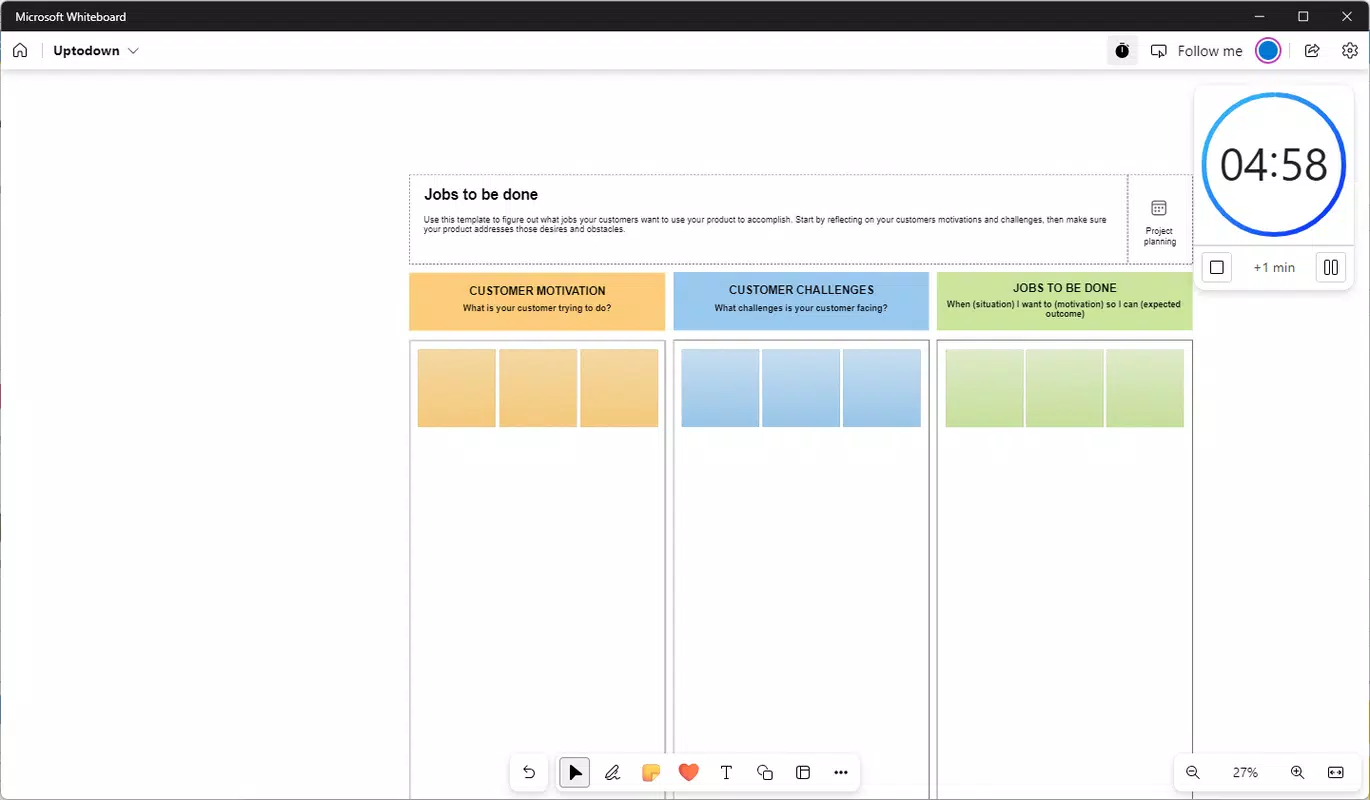
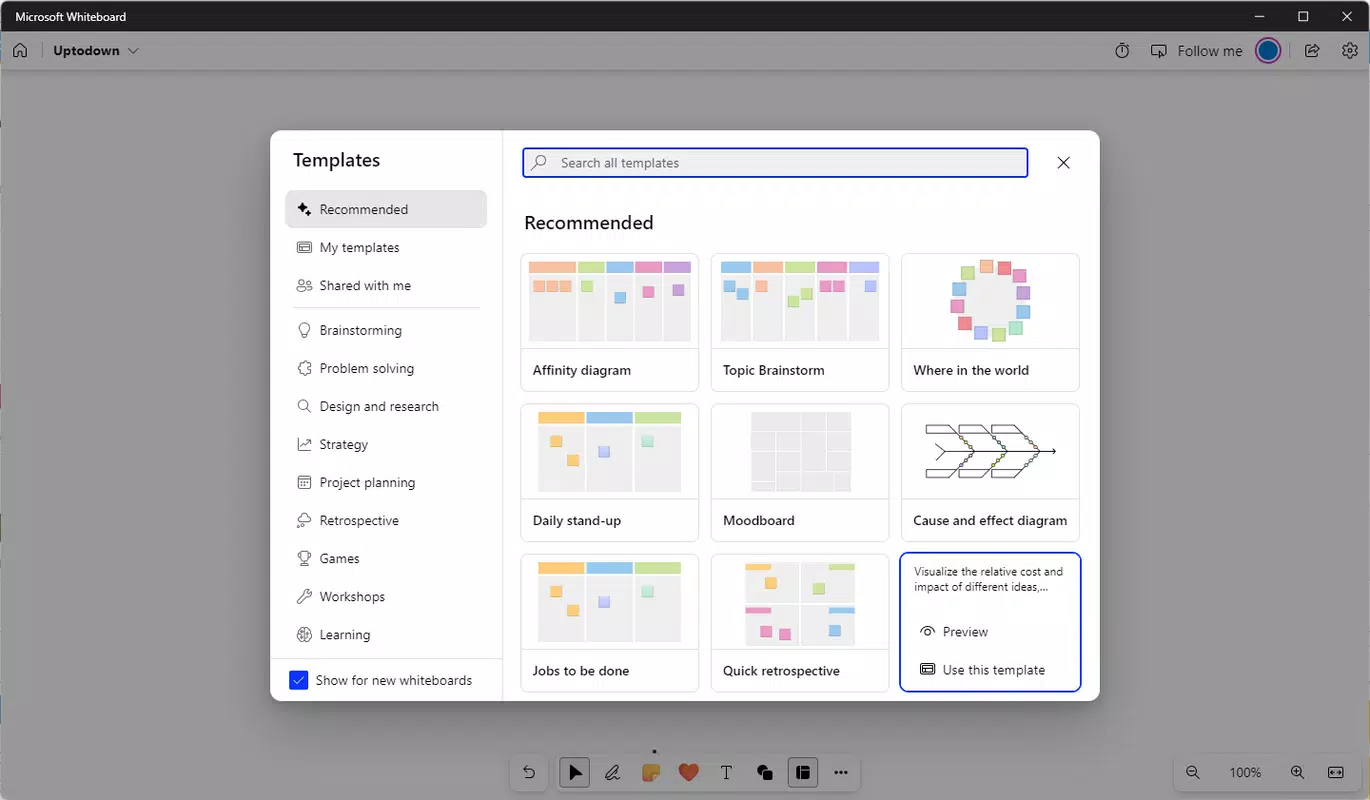
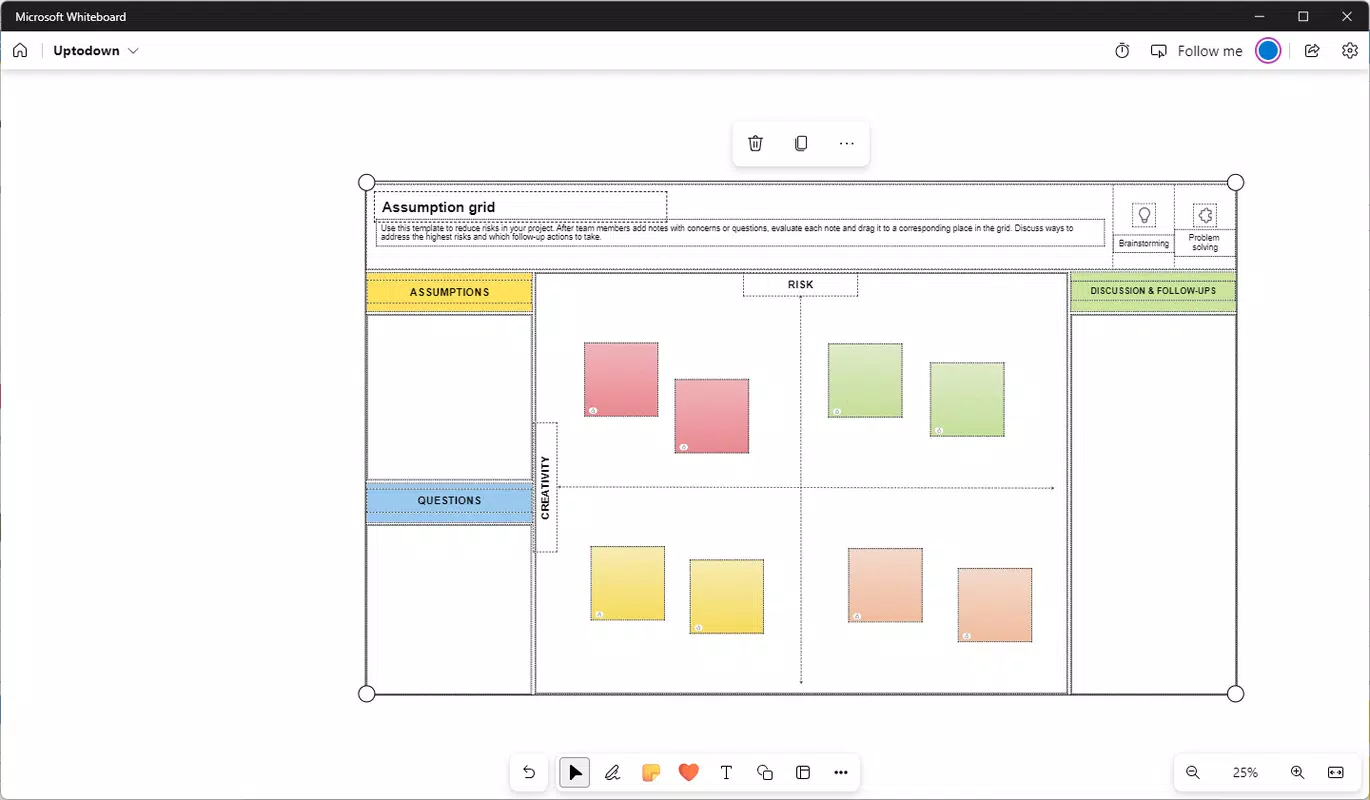
- Pre-Built Templates – Microsoft Whiteboard offers ready-to-use templates for common workflows such as SWOT analysis, mind mapping, risk assessment, and project timelines. These templates streamline the setup process and guide users through structured ideation.
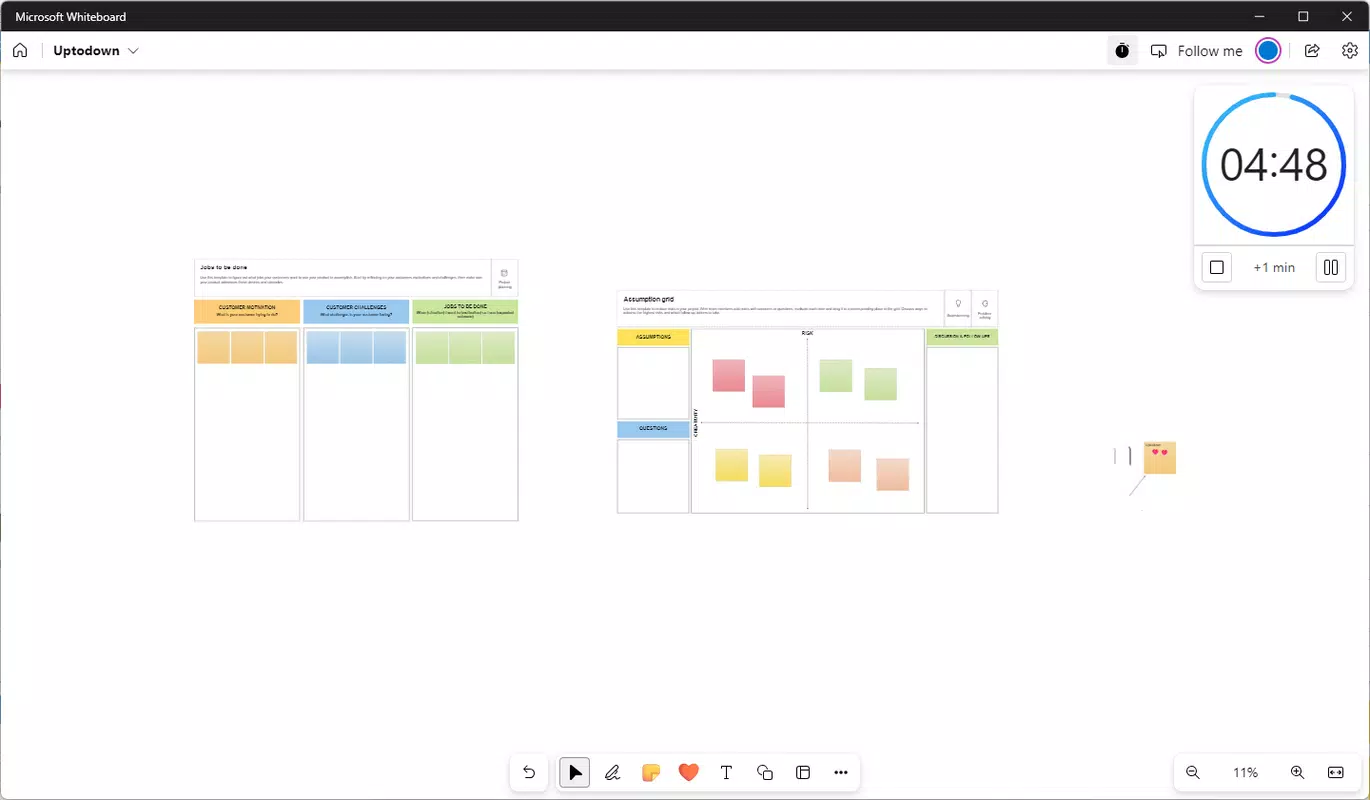
- Collaborative Capabilities – The app supports real-time co-editing, allowing multiple users to contribute to the same board from different locations. A tracking mode enables one user to control edits while others view the board in real time, ensuring clarity and order during collaborative sessions.
- Sharing and Access Control – Boards can be shared via a generated link, with customizable access permissions. This feature simplifies collaboration across teams and ensures secure access for invited participants.
For example, a product team can use the app to map out a new feature roadmap during a virtual sprint planning meeting, adding sticky notes, timelines, and diagrams in real time. Similarly, a teacher can use pre-built templates to guide students through a brainstorming exercise, with each student contributing ideas from their device.
Interface, UX & Performance
Microsoft Whiteboard features a clean, minimalist interface centered around the digital canvas, minimizing distractions and prioritizing user focus. The layout is intuitive, with essential tools grouped in a sidebar that can be toggled for quick access. Navigation is smooth, allowing users to zoom, pan, and switch between boards with minimal effort. The visual style emphasizes clarity and responsiveness, with crisp rendering of lines, text, and images.
Although the developer did not list formal performance metrics, the app appears optimized for touch-based interaction across a range of devices. Users can expect consistent responsiveness on tablets and smartphones, with minimal lag during drawing or editing. Stability is maintained across sessions, and the app handles multiple contributors without noticeable degradation in performance.
On larger screens, the interface scales effectively, preserving readability and usability. On smaller devices, the layout adapts to maintain touch-friendly controls. The app does not display intrusive ads or in-app purchases, which contributes to a focused and uninterrupted user experience.
Platform Compatibility & Technical Requirements
Microsoft Whiteboard is available on both Android and iOS platforms, ensuring broad accessibility for users across major mobile ecosystems. The current version is 1.0.215.0, with a file size of 268.4 MB, making it a lightweight yet fully functional application. The app is designed to run on modern smartphones and tablets equipped with touch screens and compatible with the latest operating system updates.
The developer did not specify minimum OS requirements or device compatibility details. However, given its integration with Microsoft 365 and focus on real-time collaboration, it is likely optimized for devices running recent versions of Android and iOS. Users should ensure their devices meet standard performance benchmarks for smooth operation.
Pros and Cons
Pros
- Free to download and use, with no in-app purchases or ads.
- Intuitive interface designed for quick onboarding and efficient use.
- Seamless integration with Microsoft 365 for enhanced workflow continuity.
- Supports real-time collaboration across multiple users and devices.
- Offers a variety of pre-built templates to accelerate idea development.
Cons
- Specific system requirements were not listed by the developer.
- Advanced features may require a Microsoft 365 subscription for full functionality.
- Offline mode capabilities were not disclosed.
- Performance on older or low-end devices may vary without official confirmation.
- Limited customization options for the canvas background or layout.
FAQ
Is Microsoft Whiteboard safe to use on personal devices?
Yes, Microsoft Whiteboard is a secure application developed by Microsoft, with data protection measures in place. Users can control access to their boards via shared links and permissions.
Can I use Microsoft Whiteboard without a Microsoft account?
While basic features may be accessible, full collaboration and cloud sync functionality require a Microsoft account.
Does Microsoft Whiteboard support offline use?
The developer did not provide information on offline capabilities. It is recommended to check the app’s settings or documentation for updates on this feature.
Is Microsoft Whiteboard compatible with smart pens?
Yes, the app supports smart pens on compatible devices, enabling precise drawing and writing with pressure sensitivity.
How often is Microsoft Whiteboard updated?
Updates are released periodically to improve performance, add features, and enhance security. Users should keep the app updated to the latest version for optimal experience.
Final Thoughts
Microsoft Whiteboard stands out as a powerful, free tool for visual collaboration and creative expression. Its real-time drawing, intuitive interface, and integration with Microsoft 365 make it an ideal choice for teams and individuals seeking a dynamic digital workspace. Whether used for brainstorming, teaching, or project planning, the app delivers a seamless and engaging experience across devices.
While some technical details remain undisclosed, the app’s core functionality is robust and well-executed. Users who value collaboration, visual thinking, and cross-platform access will find significant value in this tool. For educators, remote teams, and creative professionals, Microsoft Whiteboard offers a modern, efficient way to bring ideas to life.
Download Microsoft Whiteboard now


